1
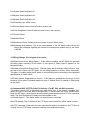
QA1 available at the time provided the feature of accepting red flag files is enabled in his/her
account settings.
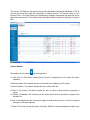
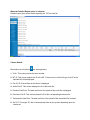
Auto File Routing to QA1 (MT->QA1->Doc) – Before this feature was launched, many doctor
clients’ workflow was set as (MT->QA1->Doc). In this case, whenever the MT redflags the file, it
is routed to the MT Admin. Now if this option is enabled and the MT redflags the file, it is
automatically routed to the QA1. A specific QA1 can be selected from the drop down list. If none
is selected, then the file will be routed to the QA1 available at the time provided the feature of
accepting red flag files is enabled in his/her account settings.
They will go to the MT Admin only when these checkboxes are not checked.
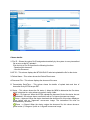
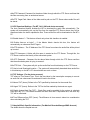
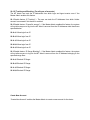
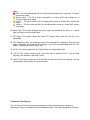
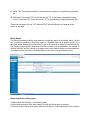
20.12 Alternative MT/QA File assignment: This setting is done to direct the system to assign the
audio file to the alternative MT selected from the drop down list if file assignment conditions
(e.g. Maximum assignment of files/minutes per day/week, workdays, and unavailability) of the
concerned MT are fulfilled.
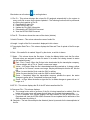
20.9 Accept stat files? : If this option is enabled, it ensures the system that the urgent files can
be assigned to this MT.
20.14 Accept all Report Types? : If this option is enabled, it ensures the system that all kinds of
audio files can be assigned to the MT.
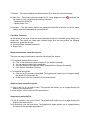
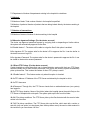
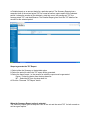
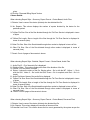
Report/Work Type Preference: Some MTs are specialized in transcribing reports for specific
medical areas such as cardiology, pathology, orthopedics, etc and so they prefer to transcribe
reports for their specialized area. MT preferences can be set up to four levels or none if he/she
has no such preferences. Files will be transferred to him/her accordingly.
st
20.15 1 Report/Work Type Preference
nd
20.16 2 Report/Work Type Preference
rd
20.17 3 Report/Work Type Preference
th
20.18 4 Report/Work Type Preference
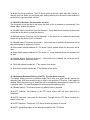
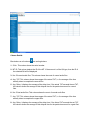
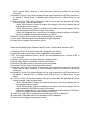
20.19 Accept all dictators? : If this option is enabled, the MT is ready to transcribe reports for all
of the dictators (doctors).
Dictator Preference: Some MTs prefer to transcribe the files of particular doctors. The MT doctor
(dictator) preference can be set up here and files will be assigned accordingly.
st
20.20 1 Dictator Preference
nd
20.21 2 Dictator Preference
rd
20.22 3 Dictator Preference
th
20.23 4 Dictator Preference