1
System-Wide Standards
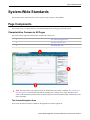
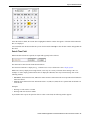
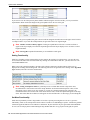
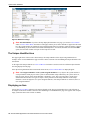
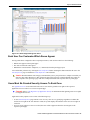
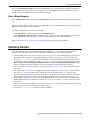
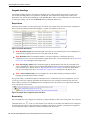
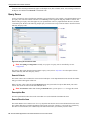
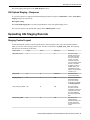
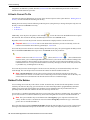
Figure 10: A Portal Page Showing Four Zones
Each User Can Customize Which Zones Appear
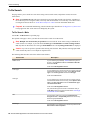
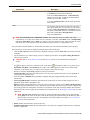
For any portal that is configured to show on portal preferences, each user has control over the following:
•
•
•
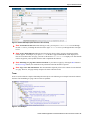
Which zones appear on their portal pages
The order in which the zones appear
Whether the zones should be "collapsed" (i.e., minimized) when the portal page opens.
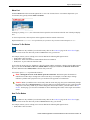
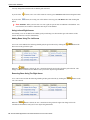
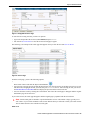
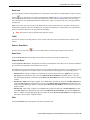
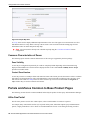
Users define their preferences by clicking the User Preferences button. Pressing this button transfers the user to the
User Preferences page on which their Portal Preferences can be defined.
Caution Recommendation. We strongly recommend that you set your preferences to collapse zones that you
don't use often. Why? Because we don't perform the processing necessary to build collapsed zones until you
ask to expand a zone. Opening a page with zones collapsed accelerates the response times of portal pages.
Users Must Be Granted Security Access To Each Zone
An application service is associated with each zone. A user must be granted access rights to the respective
application service in order to see a zone on a portal page.
Fastpath Refer to The Big Picture of Application Security for information about granting users access rights
to an application service.
Application security impacts a user's zones in the following ways:
•
•
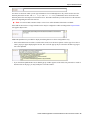
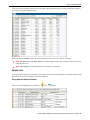
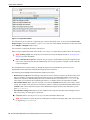
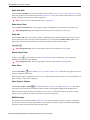
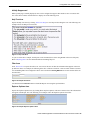
A user's Portal Preferences page contains a row for every zone on every portal page regardless of whether the
user has access rights to the zone. Because of this, the system displays an indication of the user's access rights to
each zone.
If a user's access rights to a zone are revoked, the zone will be suppressed when the user navigates to the
respective portal page.
Oracle Utilities Application Framework Business Process User's Guide • 37