1
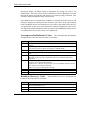
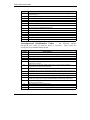
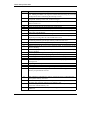
BIOS Setup Information
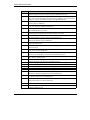
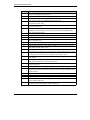
Code
Description
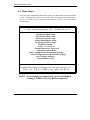
A8
Initialization before passing control to the adaptor ROM at E000h
completed. Passing control to the adaptor ROM at E000h next.
A9
Returned from adaptor ROM at E000h control. Performing any initialization
required after the E000 option ROM had control next.
Initialization after E000 option ROM control has completed. Displaying the
system configuration next.
Building the multiprocessor table, if necessary.
Uncompressing the DMI data and initializing DMI POST next.
The system configuration is displayed.
Copying any code to specific areas.
Code copying to specific areas is done. Passing control to INT 19 h boot
loader next.
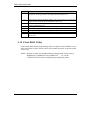
AA
AB
AC
B0
B1
00
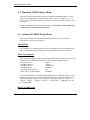
4.10 Flash BIOS Utility
Utilize AMI Flash BIOS programming utility to update on-board BIOS for the
future new BIOS version. Please contact your technical window to get this utility
if necessary.
NOTE : Remark or delete any installed Memory Management Utility (such as
HIMEM.SYS, EMM386.EXE, QEMM.EXE, …, etc.) in the
CONFIG.SYS files before running Flash programming utility.
ROBO-618 User’s Manual
4-21