1
Updating
Updating Pci.ids
Pci.ids and
and Usb.ids
Usb.ids
by Phinger
Firstly, what are pci.ids and usb.ids files? Well, they are the
database files used by the 'lspci' and 'lsusb' commands. They
contain all known ID's used in PCI and USB devices, that is, ID's
of vendors, devices, subsystems and device classes. These files
are constantly being updated so it is important to keep our
copies similarly up to date, so let's do it.
These files reside in '/usr/share/' and if you look you'll see you
have a copy of each file there now - albeit probably out of date.
To ensure regular updates of these files I use 'anacron' to
update them on a weekly basis. To achieve this, place your
copies of the 'update-pciids.sh' and 'update-usbids.sh' scripts
into the '/etc/cron.weekly/' directory. You will need to be 'root' to
do this. Now we just need to ensure that 'anacron' is being
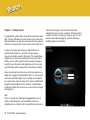
started at boot. Open PCLinuxOS Control Centre (Administration
Centre) and navigate to 'System -> Enable or Disable the
System Services'. Ensure that 'anacron' has the 'On Boot' box
ticked. Job done.
Now, we don't want to wait a week to test the scripts, so let's
navigate to '/etc/cron.weekly/' in Konqueror and then drop to a
shell ( Press F4 ). Now su to root and type './update-
14 PCLOS 2008 digital magazine
pciids.sh'. When it has completed we can then type './updateusbids.sh'. You can then open the new files in a normal text
editor to see the date of this particular snapshot (about thirteen
lines down from the top of the page ). There, all up to date. If you
ever need to update quickly, rather than wait for the anacron job,
you can use this method.
I hope this has been informative. You can always visit the Linux
PCI ID Repository at:
http://pciids.sourceforge.net/
and your Linux USB ID Repository at:
http://www.linuxusb.org/usb.ids#
Links to the scripts on PCLOs website
pciids.sh
usbids.sh