1
Appendix B ADAM/APAX .NET Utility Operation
B.3.2 Analog Output Module
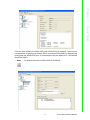
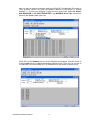
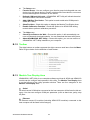
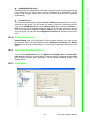
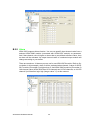
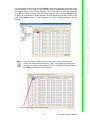
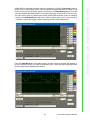
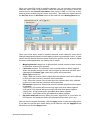
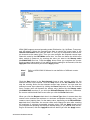
There are two parts for the I/O Information tab of APAX-5000 AO module. At the bottom is the Channel Information Area. You can see all channels' type, Modbus
address, value, range, startup value (the initial value when the AO module is poweron) and safety value (the default value when the communication is broken). Above
the Channel Information Area is the Setting Panel Area. If you don't want see the
Setting Panel Area, you can click the Hide Setting Panel check box to hide the Setting Panel Area. If you want to see the raw data (presented in Hexadecimal format)
from the output channels, click the Show Raw Data check box.
37
APAX-5070 Software Manual