1
Installation and connection
4.1.1.3 Cavity wall mounting
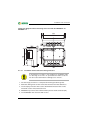
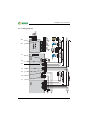
The flush-mounting enclosure is already enclosed in the scope of delivery of
MK800-11/MK800-12. Please order the bezel frame separately (see "Ordering
information" on page 84).
1. Make a hole into the cavity wall that fits accurately the enclosure.
2. Insert the flush-mounting enclosure and secure it with screws.
3. Insert the MK800 and secure it with four screws.
4. Place the bezel frame onto the cutout.
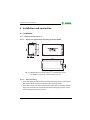
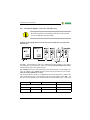
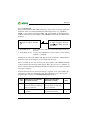
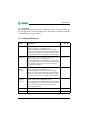
Fig. 4.2: Dimension diagram MK800-11 / MK800-12 with bezel frame BR800 and flushmounting enclosure UP800. Dimensions are given in mm. Example: cavity wall mounting
20
TGH1408en/07.2009