1
Menu mode: Operation and setting
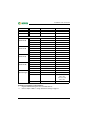
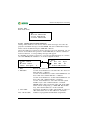
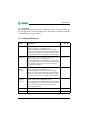
8.4.4.6 Settings menu 6: Buzzer (and LED)
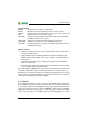
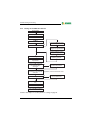
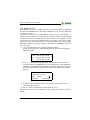
The buzzer will sound in the event of an alarm. Setting the frequency and
repetition rate of the two consecutive buzzer tones.
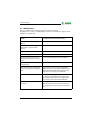
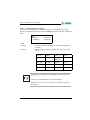
1.Exit
2.Warning:
3.Alarm:
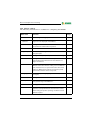
1. Exit
2. Warning
3. Alarm
6
8
Back to the main menu.
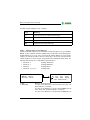
Various standard signals can be selected for "Warning"
and "Alarm". An individual buzzer sound can be selected via TMK-SET.
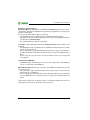
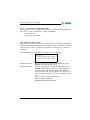
During setting the selected buzzer signal will sound and the LED will light
up or flash.
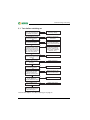
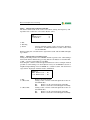
8.4.4.7 Settings menu 7: Common reset
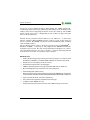
Setting indicating whether this MK800 should respond to the acknowledgement of the buzzer initiated by pressing "Buzzer off" button on another MK...
or TM... operator panel (On) or not (Off).
Activating the common acknowledgement function can for example make it
possible to acknowledge an alarm (buzzer tone) on an MK800 located in a
neighbouring building from an MK800 in a central location. The alarm message itself is displayed until the fault is eliminated.
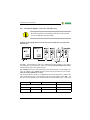
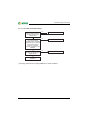
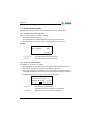
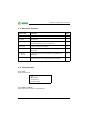
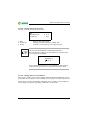
1.Exit
2.C.Reset Int.: On
3.C.Reset Ext.: On
1. Exit
2. C.Reset Int.
2. C.Reset Ext.
TGH1408en/07.2009
Back to the main menu.
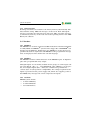
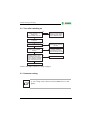
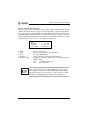
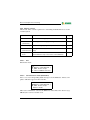
Setting of the common acknowledgement for the internal BMS bus:
On
Buzzer can be acknowledged externally
Off
Buzzer cannot be acknowledged externally.
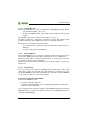
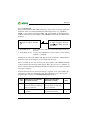
Setting of the common acknowledgement for the external BMS bus:
On
Buzzer can be acknowledged externally
Off
Buzzer cannot be acknowledged externally.
67