1
3.2.3
-a Imposes volume constraints
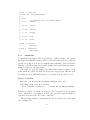
The -a switch imposes a maximum volume constraint on all tetrahedra. If
a number follows the ’a’, no tetrahedra is generated whose volume is larger
than that number.
If no number is specified and the -r switch is not used, TetGen will read
the region part in file .poly or .smesh. A .poly file or .smesh file can optionally contain a volume constraint for each facet-bounded region, thereby
controlling tetrahedra densities in a tetrahedralization of a PLC in a more
specific way.
One can impose both a fixed volume constraint and a varying volume constraint for some regions by invoking the -a switch twice, once with and once
without a number following. Each volume specified may include a decimal
point.
If no number is specified and the -r switch is used, a .vol file is expected,
which contains a separate volume constraint for each tetrahedron. It is useful
for refining a finite element or finite volume mesh based on a posteriori error
estimates.
3.2.4
-A Assigns region attributes
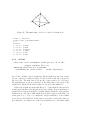
The -A switch assigns an additional attribute (an integer number) to each
tetrahedron that identifies what facet-bounded region each tetrahedron belongs to.
Attributes are assigned to regions by the .poly or .smesh file (in the region
section). If a region is not explicitly marked by the .poly file or .smesh file,
tetrahedra in that region are automatically assigned a zero attribute.
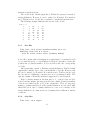
If you want TetGen to automatically assign each tetrahedron a region
attribute even the region has no attribute assigned in .poly or .smesh file. You
can apply ’-A’ switch twice (e.g., ’-AA’). In your output mesh, all tetrahedra
in the same region will get a non-zero attribute. Default, attributes are
numbered from 1, 2, 3, and so on. If an attribute has already been used
(assigned in .poly or .smesh), it is skipped and the next available attribute
will be used.
The -A switch has an effect only when the -p switch is used and the -r
switch is not.
3.2.5
-r Reconstructs/refines a mesh
The -r switch reconstructs a previously generated mesh. The mesh is read
from a .node and an .ele file, and possibly a .face file. If a .face file exists,
it is read and used to constrain subfaces in the mesh, else, TetGen will
25