1
Contents
Quick Start Section
Default Settings & Facts ............................................................................................. 4
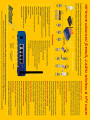
NetComm Wireless Firewall Router Quick Start ....................................................... 5
One page setup for Telstra Bigpond Cable ......................................................... 6
One page setup for Optus Cable ......................................................................... 7
One page setup for most ADSL services ............................................................. 8
Introduction ................................................................................................................. 9
Chapter 1: Getting to know your NetComm 11G Wireless Firewall Router ............ 11
1-1 About NetComm 11G Wireless Firewall Router .......................................... 11
1-2 Contents of the NetComm 11G Wireless Firewall Router Package ........... 12
1-3 Features of the NetComm 11G Wireless Firewall Router ........................... 12
Chapter 2: Hardware Installation & Setup ............................................................... 13
2-1
2-2
2-3
2-4
2-5
2-6
Rear Panel & Connections .......................................................................... 13
Front Panel LEDs ......................................................................................... 14
System Requirements and Setup ................................................................ 15
Installing the TCP/IP Protocol for Windows ................................................. 15
Fixed IP Addresses Configuration ............................................................... 18
Macintosh Setup ........................................................................................... 20
Chapter 3: Internet Access ....................................................................................... 22
3-1 Prepare your network information ................................................................ 22
3-2 Web-based User Interface ........................................................................... 23
3-3 Initial Configuration – Setup ......................................................................... 24
Chapter 4: Advanced Applications ........................................................................... 28
4-1 Firewall ......................................................................................................... 28
4-2 DHCP Configuration ..................................................................................... 29
4-3 Web Control .................................................................................................. 30
4-4 ToD Control ................................................................................................... 31
4-5 Access Control ............................................................................................. 32
4-6 Port Forwarding Settings .............................................................................. 34
4-7 Special Application (Port Triggering) ........................................................... 36
4-8 Dynamic Routing .......................................................................................... 37
4-9 Static Routing ............................................................................................... 37
s4-11 Administration Settings ............................................................................ 41
4-12 Status Monitor ............................................................................................. 43
4-13 DMZ Host .................................................................................................... 44
4-14 Log .............................................................................................................. 45
4-15 VPN Passthrough ....................................................................................... 46
4-16 Dynamic DNS (DDNS) ............................................................................... 47
www.netcomm.com.au
Page 2
Rev.3 - YML670
NP5540 Wireless 11G Firewall Router