1
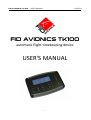
FID AVIONICS TK100
- USER'S MANUAL
v. 2013-02
Contents
Device description................................................................................................................................3
Technical specification.........................................................................................................................3
Initial start up and setting.....................................................................................................................4
Charging and power supply..................................................................................................................4
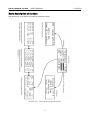
Basic description of screens.................................................................................................................5
Title screen (after start up)...................................................................................................................6
Flight Data Display mode.....................................................................................................................7
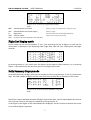
Flight List Display mode......................................................................................................................7
Daily Summary Display mode.............................................................................................................7
Setting mode.........................................................................................................................................8
Setting date and time........................................................................................................................9
Setting the altitude of home airport.................................................................................................9
Setting the units for displaying flight data.......................................................................................9
Formatting the memory of flights..................................................................................................10
Displaying the firmware version....................................................................................................10
Export of flight list to PC...................................................................................................................11
-2-