1
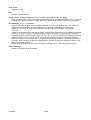
ttmclkcalib – Reference Clock calibration
The TTM8000 is equipped with a oven-controlled crystal oscillator (OCXO) that is used as time reference for
the timing measurements. While this crystal is already very accurate in itself, it can be tuned for even better
precision (within a range of +/- 40ppm).
This feature can be used to align the frequency of the OCXO to a high-quality time reference (e.g. a rubidium
clock) or to match the reference clock frequencies of two TTM8000 boards.
Note that even after calibration, the clocks of two TTM8000s will still have some drift against each other.
Thus clock calibration is no substitute for a hardware clock synchronization using a cable from the reference
clock output of one TTM8000 (or some other clock reference) to the clock input of the other TTM8000.
Furthermore every clock crystal changes its frequency as it ages. Thus you might want to perform
recalibration from time to time (depending on your needs with regard to absolute time precision).
Note that all crystal oscillators are sensitive to changes in temperature. Thus you should make sure that the
TTM8000 (and your reference clock!) have been turned on for some time (~15 minutes) so that their internal
temperature had time to settle before performing the calibration.
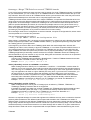
TTMClkCalib will take a reference signal of known frequency (10kHz..10MHz) that is connected to one of the
Stop inputs of the time-tagging logic, and then measure how long it takes to receive as many events as
should occur within a second. If it took more than one second, when measured on the TTM8000 internal
clock, then the TTM8000 clock is too fast and needs to be slowed down. If it took less than one second, the
TTM8000 internal clock is too slow and needs to be speed up.
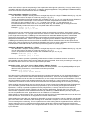
The TTM8000 hardware actually uses two voltages to tune the OCXO, one for coarse tuning and the other
for fine tuning. TTMClkCalib will first use a binary search to find the optimal setting for the coarse tuning
voltage, while leaving the fine tuning voltage in a middle setting and will then keep the coarse tuning voltage
fixed and perform binary search to find the optimal setting for the fine tuning voltage.
All this searching for the optimal settings is fully automatic. All you need to do is connect the reference signal
to any of the Stop inputs (and not connect anything to the other Stop inputs), and start TTMClkCalib. Then
wait about 30 seconds while TTMClkCalib is working and thats it. The calibration results will automatically be
stored in the TTM8000 and will remain effective even after power-cycling the device.
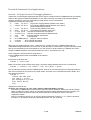
Example usage (assuming a 100kHz reference clock):
ttmclkcalib -f 100000
If you know that the clock is already quite well calibrated, you can skip the coarse calibration and just try to
perform fine tuning, by adding the option -a and save half the calibration time.
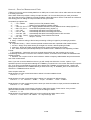
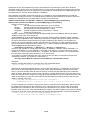
Other available options are:
-t, --ttm8
IP:Port - Target Time Tagging Module (Default: Auto:10501)
-n, --ttmnet IP:Port - Time Tagging Module Subnet (Default: Auto:10501)
-c, --cntrl IP:Port - Local Cntrl Port (Default: Auto:Auto)
-f, --freq
- Input Frequency [Hz]
-a, --fine
- Fine Adjustment Only
-s, --seekonly - Only look for optimal adjustment - Dont Flash
-w, --wait
- Wait for <Any> Key before quitting
-v, --verbose - Show Internal Information
-V, --version - Show Version Information
-h, --help
- Show this Text
51/60
TTM8000