1
Chapter 4: Configuring the CTRIO Inputs
1
2
3
4
5
6
7
8
9
10
11
12
13
14
A
B
C
D
Configure I/O Dialog Overview
4–2
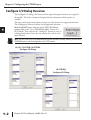
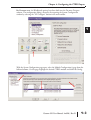
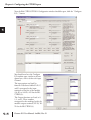
The Configure I/O dialog is the location where input and output functions are assigned to
the module. The choice of input and output functions determines which options are
available.
The input and output function boxes prompt you with selections for supported functions.
The configuration software disallows any unsupported selections.
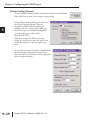
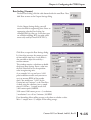
For DirectLOGIC users, from the main CTRIO Workbench
window, click on the “Go to PROGRAM Mode” button (if in
RUN Mode). Then, click on the “Config I/O” button to arrive at
a dialog shown below. Notice that the window has a tab for each
input Channel.
NOTE: You don’t have to be in PROGRAM mode to enter the Configure I/O dialog, however you must be in
PROGRAM mode to save the configuration to the CTRIO module.
H2, H4, T1H-CTRIO, H2-CTRIO2
Configure I/O Dialog
H0-CTRIO(2)
Configure I/O Dialog
Counter I/O User Manual, 2nd Ed., Rev. D