1
Quick start
In order to briefly verifying system abilities, not in details, it’s necessary to do the
following:
First, please watch a short video about it: https://youtu.be/z9cYu7sYwV0
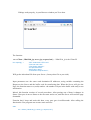
Go to Download page http://physicalcomputing.ru/articles_en/p_rt-210_en.html
–
Download SD-Flasher utility, FriendlyARM's Superboot binary file, SD Card .RAR
Archive;
–
Prepare a SD card (it may be SDSC or SDHC) using SD-Flash Utility;
–
Write the folder “images”, binary example files and .BMP file onto SD Card Root;
–
Put the SD Card in the Mini210s slot, move switch to SD boot position;
–
Turn the power switch On.
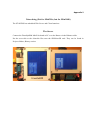
First time System will ask to calibrate the touch screen.
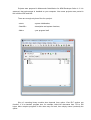
Press [ > ] in the left lower corner of the screen. List of files from SD card will appear.
Next, click on the file name with the stylus, for example, tap Hello1.BIN. It must begin to
work.