1
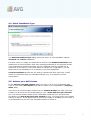
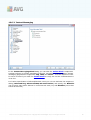
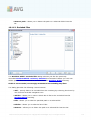
5.4. Select Installation Type
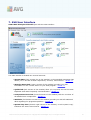
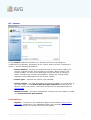
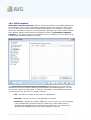
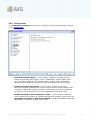
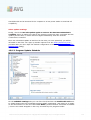
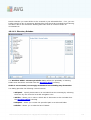
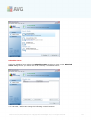
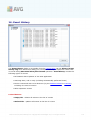
The Select Installation Type dialog offers the choice of two installation options:
standard and custom installation.
For most users, it is highly recommended to keep to the standard installation that
installs AVG in fully automatic mode with settings predefined by the program vendor.
This configuration provides maximum security combined with the optimal use of
resources. In the future, if the need arises to change the configuration, you will
always have the possibility to do so directly in the AVG application.
Custom installation should only be used by experienced users who have a valid
reason to install AVG with non-standard settings. E.g. to fit specific system
requirements.
5.5. Activate your AVG License
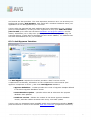
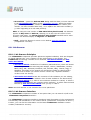
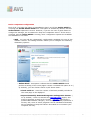
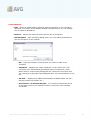
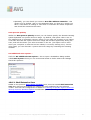
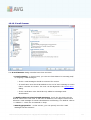
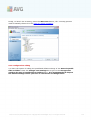
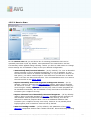
In the Activate your AVG License dialog you have to fill in your registration data.
Type in your name (User Name field) and the name of your organization (Company
Name field).
Then enter your license/sales number into the License Number text field. The sales
number can be found on the CD packaging in your AVG 9 Anti Virus plus Firewall
box. The license number will be in the confirmation email that you received after
purchasing your AVG 9 Anti Virus plus Firewall on-line. You must type in the number
exactly as shown. If the digital form of the license number is available (in the email), it
is recommended to use the copy and paste method to insert it.
A V G 9 A nti V irus plus Firewall © 2 0 1 0 C opyright A V G T ec hnologies C Z, s .r.o. A ll rights res erved.
16