1
SECTION 2
INSTALLATION
________________________________________________________
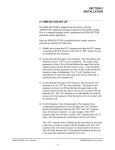
2.9.2 SET MACHINE ZERO
To zero the machine (set resolver offset) perform the following:
1) Enter the “Set-Up” menu by pressing the “SET-UP” key of the
Keypad/Display.
2) Select “6: VERIFY CAN PRX1 LOCATION/TIMING” and
observe the “ACTUAL ABSOLUTE POS:” field. Verify that as
the machine is rotated forward (either jogged or barred) that the
position increases linearly from 0 through 1079 for “Rotary Trip”
Machines or 0 through 719 for interposer trip machines. If not,
swap the S1 and S3 leads of the resolver at the M4503 resolver
connector. Then verify that the position then indeed does increase
with forward movement. Press <ESC> to return to the primary
set-up menu.
3) Position the machine at machine zero (“A” trip cam follower just
past “A” trip cam, (see figure below).
4) Auto zero the resolver by selecting “5: ZERO MACHINE” from
the primary set-up menu of the Keypad/Display. Enter “0” to zero
the resolver. The “VERIFY CAN PRX” menu will be displayed,
now showing the “ACTUAL ABSOLUTE POS:” at zero.
5) The M4503 will calculate the actual offset value required to make
this the 000 position and will display this number in the offset
field.
HSL-DC6 User’s Manual
SYSTEMS Electronics Group
- 17 -