1
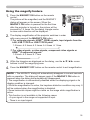
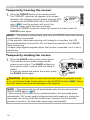
Contents Introduction . . . . . . . . . . . . . . . 3 EASY MENU. . . . . . . . . . . . . . . 44 Features . . . . . . . . . . . . . . . . . . . . . . . 3 PICTURE menu . . . . . . . . . . . . 46 Checking the contents of package. . . . . 3 Part names . . . . . . . . . . . . . . . . . . . . . 4 IMAGE menu. . . . . . . . . . . . . . 49 Projector, Control panel and Indicators, INPUT menu . . . . . . . . . . . . . . 52 Ports, Remote control SETUP menu. . . . . . . . . . . . . . 56 Setting up . . . . . . . . . . . . . . . . . 7 Arrangement. . . . . . . . . . . . . . . . . . . . 7 AUDIO menu . . . . . . . . . . . . . . 59 Connecting with your devices. . . . . . 10 SCREEN menu. . . . . . . . . . . . . 60 Fastening the cables OPTION menu. . . . . . . . . . . . . 68 Fastening the adapter cover. . . . . . . 15 Using the security bar and slot . . . . . 15 NETWORK menu. . . . . . . . . . . 80 Connecting to a power supply. . . . . . 16 SECURITY menu. . . . . . . . . . . 91 Remote control. . . . . . . . . . . . 17 Presentation tools . . . . . . . . . 98 Installing the batteries. . . . . . . . . . . . 17 PC-LESS Presentation. . . . . . . . . . . 98 Thumbnail Mode, Full Screen Mode, Using the REMOTE ID function . . . . 17 Slideshow Mode, Playlist Changing the frequency of remote control signal. . . 18 About the remote control signal . . . . 18 USB Display . . . . . . . . . . . . . . . . . . 108 Starting USB Display, Right-Click menu, Using as a simple PC mouse & keyboard. . . 19 Floating menu, Options window Status Monitor . . . . . . . . . . . . 20 Maintenance. . . . . . . . . . . . . 112 Displaying the condition of the projector. . . 20 Replacing the lamp. . . . . . . . . . . . . 112 Displaying the log. . . . . . . . . . . . . . . 22 Cleaning and replacing the air filter . 114 Power on/off . . . . . . . . . . . . . . 24 Other care. . . . . . . . . . . . . . . . . . . . 116 Turning on the power . . . . . . . . . . . . 24 Troubleshooting . . . . . . . . . . 117 Turning off the power . . . . . . . . . . . . 24 Warnings displayed on the Status Monitor. . . 117 Operating . . . . . . . . . . . . . . . . 25 Related messages . . . . . . . . . . . . . 117 Adjusting the volume of audio output. . . . . . 25 Regarding the indicator lamps . . . . 120 Temporarily turning off the screen Resetting all settings. . . . . . . . . . . . 123 and audio output. . 25 Phenomena that may be easy to Selecting an input signal. . . . . . . . . . 26 be mistaken for machine defects. . . 124 Selecting an aspect ratio. . . . . . . . . . 27 Specifications . . . . . . . . . . . . 129 Adjusting the projector's elevator . . . . . 28 Adjusting the lens . . . . . . . . . . . . . . . 29 Adjusting the zoom and focus, Adjusting the lens position, Lens memory Using the automatic adjustment feature. . . Adjusting the position . . . . . . . . . . . . Correcting the distortion . . . . . . . . . . Using the magnify feature. . . . . . . . . Temporarily freezing the screen . . . . Temporarily shading the screen . . . . PbyP (Picture by Picture) / PinP (Picture in Picture). . . . Using the menu function . . . . . . . . . . Indication in OSD, Containing items of each menu 2 31 31 32 35 36 36 37 41