1
www.EmbeddedMarket.com
Embedded Engineer’s Development Tool 6.0
11. Using EEDT6.0 hardware board
Red color background for
Interface Circuits.
White color background for onboard
Microcontrollers.
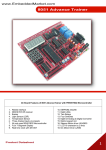
The EEDT6.0 Hardware is divided in two major sections.
1. The onboard Microcontroller Section (This area has White color background on the Hardware board)
2. The onboard Interface Circuit Section (This area has Red color background on the Hardware board)
Input and Output pins of all Microcontroller circuits and Interface Circuits are open for connection.
This allows you to connect any interface to any onboard microcontroller using the single pin connectors as shown in the
below picture. These connectors are included in the product pack.
Required power (5V or 3.3V) to microcontrollers and interface circuits is
already provided on the PCB. Thus you need not to provide the Vcc &
Gnd lines to the microcontroller & interface sections.
Product Datasheet
20