1
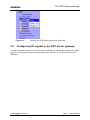
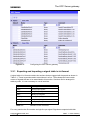
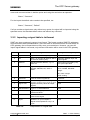
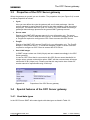
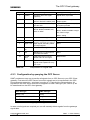
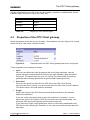
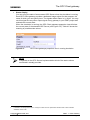
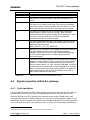
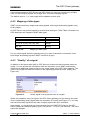
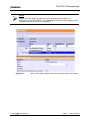
The OPC Client gateway s Signals as provided by the OPC server can be readable, writeable or readWriteable and are treated in SIMIT as input or output (see Table 4-4). OPC SIMIT readable output writeable input readWriteable Input Table 4-4: 4.3 Mapping of OPC access types Properties of the OPC Client gateway When the gateway is opened you see its editor. The properties view (see Figure 4-4) is used define the cycle, host name, ProgID and state. Figure 4-4: Properties within the OPC Client gateway that can be configured These properties have meaning as follows: • Cycle Here you can define the cycle the gateway will use for data exchange. Use the project manager to assign absolute values to the eight available cycles throughout the project. The default value for cycle 2 is 100ms. For further detail concerning a gateways data exchange please see the general SIMIT gateway manual. • Host name Here you can specify on which PC the OPC Server this OPC Client should communicate with is running. You can provide either the PCs name or its IP-address. The default value is the local machine (localhost). • ProgID Specify the ProgId of the OPC Server that should be accessed on the machine depicted by hostname. If you use a local connection which means the hostname is “localhost”, you can select from a list of all ProgIDs of OPC Servers that can be accessed locally. Just select the OPC Server this gateway should communicate with. If you leave the ProgID not assigned there will be no connection established to any OPC Server when starting the simulation. In this case cyclic data exchange does not take place. Copyright Siemens AG, 2013 Process Automation SIMIT 7 - OPC Gateway Page 15