1
Creating Arbitrary Waveforms
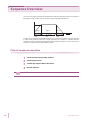
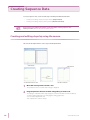
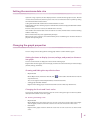
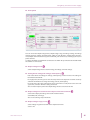
You can create and edit arbitrary waveforms in the Arbitrary Waveform window. You can also create
arbitrary waveforms by importing text data of measurements taken on instruments such as oscilloscopes and data loggers.
Creating a new arbitrary waveform
46
1
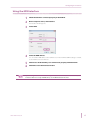
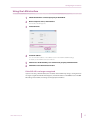
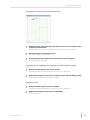
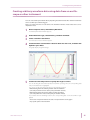
On the Sequence menu, click Arbitrary Waveform.
2
Select the arbitrary waveform type.
3
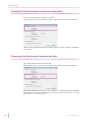
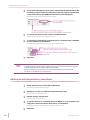
For a square, triangular, or trapezoidal waveform, set the duty ratio. For a
peak-clipped waveform, set the crest factor. For a harmonic waveform, set the
level, phase, and harmonic order. If you select Arbitrary, enter data directly.
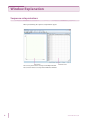
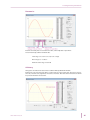
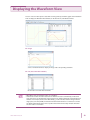
The Arbitrary Waveform window appears.
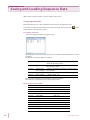
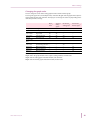
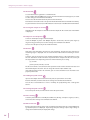
There are seven types that you can choose from. Selecting Arbitrary enables you to directly edit
arbitrary waveform data. If you select any other type, you cannot edit data directly.
• Sine
• Square
• Triangular
• Trapezoidal
• Peak-clipped
• Harmonics
• Arbitrary
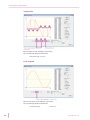
Arbitrary waveform data is 14 bits high (-8192 to 8191) and 10 bits wide (0 to 1023).
Double-click the waveform to select the corresponding data value in the sheet.
SD011-PCR-LE Ver.5.4x