1
Section 3 - Configuration
Device Info
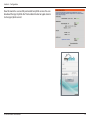
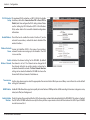
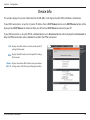
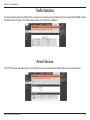
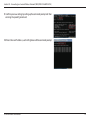
This window displays the current information for the DIR-600L. It will display the LAN, WAN, and Wireless information.
If your WAN connection is set up for a Dynamic IP address then a DHCP Release button and a DHCP Renew button will be
displayed. Use DHCP Release to disconnect from your ISP and use DHCP Renew to connect to your ISP.
If your WAN connection is set up for PPPoE, a Connect button and a Disconnect button will be displayed. Use Disconnect to
drop the PPPoE connection and use Connect to establish the PPPoE connection.
LAN: Displays the MAC address and the private (local) IP
settings for the router.
DIR-600L
WAN: Displays the MAC address and the public IP settings
for the router.
Wireless Displays the wireless MAC address and your wireless
802.11N: settings such as SSID, Channel, and Encryption status.
D-Link DIR-600L User Manual
43