1
Section 3 - Configuration
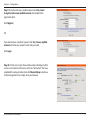
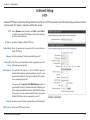
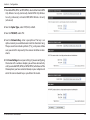
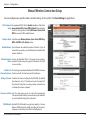
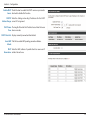
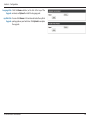
1.To enable WPA, WPA2, or WPA/WPA2, select either Enable WPA
Only Wireless Security (enhanced), Enable WPA2 Only Wireless
Security (enhanced), or Enable WPA/WPA2 Wireless Security
(enhanced).
2. Next to Cipher Type, select TKIP, AES, or Both.
3. Next to PSK/EAP, select PSK.
4.Next to Network Key, enter a passphrase. The key is an
alpha-numeric password between 8 and 63 characters long.
The password can include symbols (!?*&_) and spaces. Make
sure you enter this key exactly the same on all other wireless
clients.
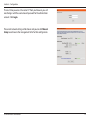
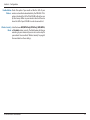
5. Click Save Settings to save your settings. If you are configuring
the router with a wireless adapter, you will lose connectivity
until you enable WPA, WPA2, or WPA/WPA2 (whichever of the
three options you have selected above) on your adapter and
enter the same network key as you did on the router.
D-Link DIR-605L User Manual
25