1
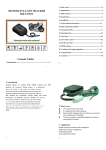
Insert the SIM card into the tracker like this.
Switch on the unit outdoors. Three LEDs will light at the same time during the tracker
starting.
In 10 to 30seconds, the unit will begin to work and acquire the GSM signal as well as the GPS
signal. The red LED means power, it will be dim for 0.5 second and bright for 0.5 second in the
normal status. The orange LED means GSM signal, it will flash every 3 seconds if it got GSM
signal. The blue LED means GPS signal, it will flash every 3 seconds if it got GPS signal.
Set the authorized number.
Send SMS“password+A1, +country code + mobile number” to set the first SOS number.
Send SMS“password+A2, +country code + mobile number” to set the second SOS number.
Send SMS“password+A3, +country code + mobile number” to set the third SOS number.
Send SMS“password+A4, +country code + mobile number” to set the CALL1 number.