1
General information.
Security Commander for Windows – software, designed to organize workplace of the security
signalization system operator. Software works under Windows 9x/2000/XP OS and provides following functions:
- processing of the messages that simultaneously come from several central stations (up
to 15);
- received information visualization;
- message tracking (signal level, retranslation routes, etc.);
- adjustable program interface;
- language selection;
- visual display of object status information;
- received information and operator actions archiving;
- vide options using databases and archives;
- periodical control of database status;
- periodical database backup;
- database encrypting using double password;
- fast and easy access to any object information;
- possibility to add an image to object card;
- possibility to create default object configuration library;
- possibility to receive and control object telemetry information;
- general and additional work schedule for every object;
- efficient control of not restored alarms;
- periodical reminding of not restored alarms;
- automatic control of transmitters’ and security panels’ test messages;
- report generating and printing;
- object search using specified parameters;
- object sorting, using status, group, class and event type;
- possibility to send messages to client’s E-Mail, mobile phone, pager;
- three levels of access to program options;
- receiver system functioning control;
- time synchronization between PC and receivers;
- control of communication with receivers;
- GSM-modem support and possibility to receive messages from GSM-transmitters;
Current manual is made to acquaint user with basic principles of software use.
Installing and launching the program.
To install the program, launch Setup.exe file from the installation CD and follow the instructions.
After installing the program, launch it using WSC icon in Start menu.
You’ll have to enter user Login and Password. After installation only one user is registered in the
program - Administrator, who has full access to all program functions.
Login – sys, Password – sys.
Administrator Login is fixed and cannot be changed, but it's strictly recommended to change the
password.
Interface.
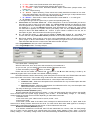
Program interface has a large amount of adjustable parameters that allow every user to reach
maximum work comfort.
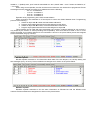
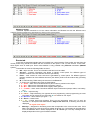
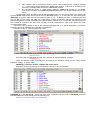
Interface structure consists of general “Monitoring” window and few secondary windows.