1
®
Introduction
5
INTRODUCTION
The Control Panel
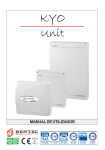
This Manual is designed for anyone using a Control panel from the KYO
range. Most of the features described in this Manual are included on all
KYO Control panels. However, some features are included on certain models
only, in such cases, the name of the Control panel will be specified.
About Your Security Your Installer has set up your system with your premises in mind. You may not
System need all the features descibed in this Manual, therefore, your Installer will have
programmed only the features you need.
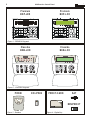
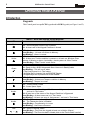
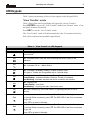
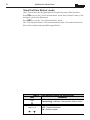
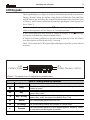
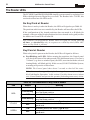
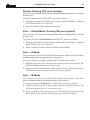
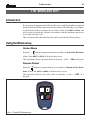
Controlling Your The functions on KYO4 and KYO8 (4 Partition Control panels) and KYO32 (8
System Partition Control panel) can be controlled from Keypads and Digital Readers (see
Figures 1, 2, 3 and 4).
The Digital This Manual provides step-by-step instructions for each function. This Control
Communicator panel has an intergrated Digital Communicator, that allows your system to send
Alarm, Trouble and Emergency messages to the Central Station, This feature also
allows your Installer to carry out remote maintenance (Teleservice).
The NC2/VOX If your system is equipped with an NC2/VOX Voice board (accessory item), your
Voice Board Digital communicator will be able to send voice messages.
NOTE - The KYO16D Control Panel DOES NOT ACCEPT the Voice board.
The VRX32-433 Series 32, 8W, 8GW and 16D Control panels accept VRX32-433 or Vector/RX8
and Vector/RX8 Receivers. Installation of a VRX32-433 or Vector/RX8 Receiver will allow the
Wireless Receiver control panel to manage Wireless security devices (Detectors, Magnetic Contacts,
etc.) and Wireless Keys.
Read this guide thoroughly to learn how to use your system. See the Glossary to
learn about the words used in the instructions.