1
Recording high quality still
images during movie recording
(Dual Rec)
b Notes
• Do not eject the “Memory Stick PRO Duo”
media before movie recording is finished and
the still images are completely stored on the
“Memory Stick PRO Duo” media.
•
may appear when the capacity of the
“Memory Stick PRO Duo” media is not enough
or when you record still images continuously.
You cannot record still images while
is
displayed.
Touch
to cancel the smooth slow
recording.
To change the setting
Touch
(OPTION) t
tab, then
select the setting you want to change.
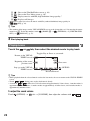
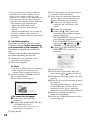
• [TIMING]
Select the recording start point after
START/STOP is pressed. The default
setting is [3sec AFTER].
Recording/Playback
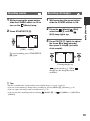
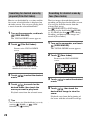
You can record high quality still images
during movie recording by pressing
PHOTO.
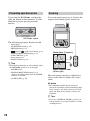
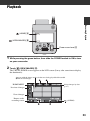
2 Press START/STOP.
A 3-second movie (approx.) is recorded as
a 12 second-slow-motion-movie.
[Recording···] disappears, when recording
is finished.
z Tips
• When the
(Movie) lamp is lit, the size of
still images becomes [
2.3M] (16:9 wide) or
[1.7M] (4:3).
• You can record still images during recording
standby in the same way as when the
(Still)
lamp is turned on.
Recording the fast action in
slow-motion (SMTH SLW REC)
Fast moving subjects and actions, which
cannot be captured under the ordinary
shooting conditions, can be shot in smooth
moving slow-motion for about 3 seconds.
This is useful to shoot fast actions such as a
golf or tennis swing.
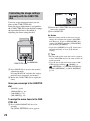
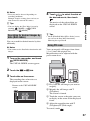
1 Touch
(HOME) t
t [SMTH SLW REC].
(CAMERA)
[3sec AFTER]
[3sec BEFORE]
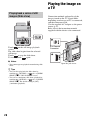
• [RECORD SOUND]
Select [ON] (
) to superimpose sounds
such as conversation on the slow motion
pictures (The default setting is [OFF]).
Your camcorder records sounds for about
12 seconds while [Recording···] is
displayed in step 2.
b Notes
• Sounds cannot be recorded while shooting a
3-second movie (approx.).
• Image quality of [SMTH SLW REC] is not as
good as that of normal recording.
21