1
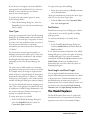
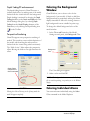
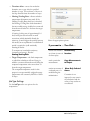
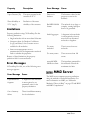
• Terminate After—causes the molecular
dynamics run to stop after the specified
number of steps. The total time of the run is
the Step Interval times the number of steps.
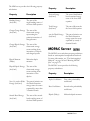
• Heating/Cooling Rate—dictates whether
temperature adjustments are made. If the
Heating/Cooling Rate check box is checked,
the Heating/Cooling Rate slider determines
the rate at which energy is added to or removed
from the model when it is far from the target
temperature.
A heating/cooling rate of approximately 1.0
kcal/atom/picosecond results in small
corrections which minimally disturb the
trajectory. A much higher rate quickly heats up
the model, but an equilibration or stabilization
period is required to yield statistically
meaningful results.
To compute an isoenthalpic trajectory
(constant total energy), deselect
Heating/Cooling Rate.
• Target Temperature—the final temperature
to which the calculation will run. Energy is
added to or removed from the model when the
computed temperature varies more than 3%
from the target temperature.
The computed temperature used for this
purpose is an exponentially weighted average
temperature with a memory half-life of about
20 steps.
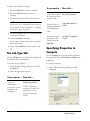
Job Type Settings
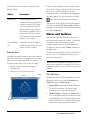
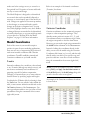
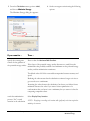
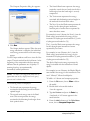
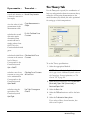
Use the Job Type tab to set options for the
computation.
ChemOffice 2005/Chem3D
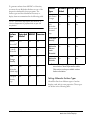
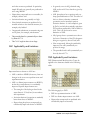
Select the appropriate options:
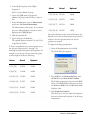
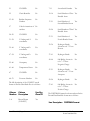
If you want to … Then Click …
record each iteration Record Every
as a frame in a movie Iteration.
for later replay
track a particular
measurement
Copy Measurements
to Output.
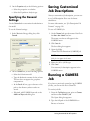
restrict movement of Move Only Selected
Atoms.
a selected part of a
model during the
Constraint is not
minimization
imposed on any term in
the calculation and the
values of any results are
not affected.
MM2 and MM3 Computations
Molecular Dynamics
• 159