1
Figure 2. Code Composer Icon
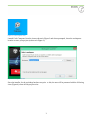
Launch Code Composer from the icon as shown in Figure 2 and where prompted, chose the workspaces
location to store your project (as shown in Figure 3).
Figure 3. Workspace Selection
Since the installer for the workshop has been run prior to this, the user will be presented with the following
view (Figure 4) where all lab projects exist.
3