1
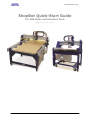
Quick Start Guide Page -2- About this guide This document is intended as a helpful “Quick Start” guide to help you get up and running with your new Shopbot. It is an abbreviated version of the full user’s manual. For more detailed information on any of these topics, please reference the full manual. There is also a list of resources on the back page for information from other sources. This guide will reference V-Carve Pro in several sections and assumes that you have a basic familiarity with the software. If you are using another CAD/CAM system then those directions may not apply to you. Contents Section 1: Software setup and orientation The first step: loading the software and drivers Connecting the Shopbot to your computer Loading the correct settings file Switching from English to metric units Getting to know the Shopbot control software Using the Keypad Testing each axis Understanding axis orientation Testing your spindle/router Section 2: Technical basics & planning your cuts Safety: a few basic rules Selecting the right bit for your project Calculating feeds and speeds Changing bits Holding down material for cutting Holding small parts within the material Section 3: Running a cut file Zeroing the Z axis Zeroing the XY axes Warming up the spindle Previewing a part file Daily checklist Resources Copyright 2013 ShopBot Tools, Inc