1
1. Table of Contents
1.
2.
Table of Contents........................................................................................................................... 3
Introduction .................................................................................................................................... 4
2.1.
2.2.
2.3.
2.4.
3.
4.
Overview................................................................................................................................................. 4
Models .................................................................................................................................................... 4
Features ................................................................................................................................................. 4
Programming .......................................................................................................................................... 4
Mounting......................................................................................................................................... 5
Connecting ..................................................................................................................................... 6
4.1. Rear Panel.............................................................................................................................................. 6
4.2. CUEwire and Network ............................................................................................................................ 6
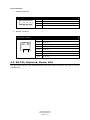
4.3. RS-232, Keyboard, Mouse, VGA............................................................................................................ 7
5.
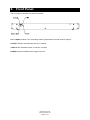
Front Panel ..................................................................................................................................... 8
6.
Settings and Network Integration ................................................................................................ 9
6.1.
6.2.
6.3.
6.4.
7.
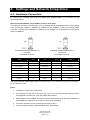
Hardware Connection ............................................................................................................................. 9
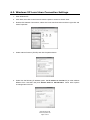
Windows XP Local Area Connection Settings .......................................................................................10
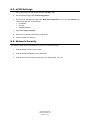
eCUE Settings .......................................................................................................................................11
Network Security ...................................................................................................................................11
Service Access............................................................................................................................. 12
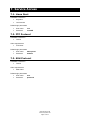
7.1. Linux Root .............................................................................................................................................12
7.2. FTP Protocol..........................................................................................................................................12
7.3. SSH Protocol .........................................................................................................................................12
8.
Troubleshooting........................................................................................................................... 13
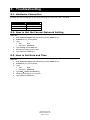
8.1. Hardware Connection ............................................................................................................................13
8.2. How to Get the Current Network Setting................................................................................................13
8.3. How to Set Date and Time.....................................................................................................................13
9.
Reference Guide .......................................................................................................................... 14
9.1.
9.2.
9.3.
9.4.
9.5.
9.6.
9.7.
9.8.
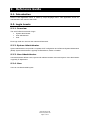
Introduction............................................................................................................................................14
Login Levels ..........................................................................................................................................14
Sections.................................................................................................................................................15
Welcome Page ......................................................................................................................................16
User Part ...............................................................................................................................................17
User Profile Administration ....................................................................................................................18
eCUE Configuration...............................................................................................................................22
Remote System Maintenance................................................................................................................27
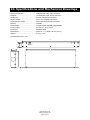
10. Specifications and Mechanical Drawings ................................................................................. 29
11. Software and Firmware License................................................................................................. 30
12. Warranty Conditions ................................................................................................................... 31
13. CE Declaration of Conformity..................................................................................................... 32
14. FCC................................................................................................................................................ 33
User Manual eCUE
www.cuesystem.com
Page 3 of 34