1
4 DIAGNOSTICS
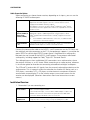
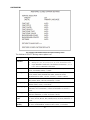
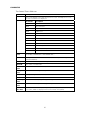
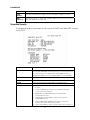
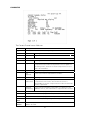
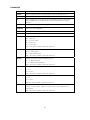
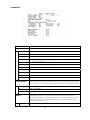
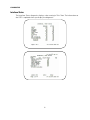
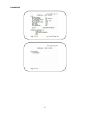
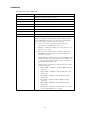
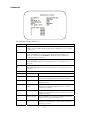
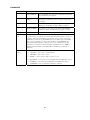
The fields are:
Field
Description
DOCSIS
Enabled
For a DOCSIS-enabled set-top, YES. Otherwise, NO.
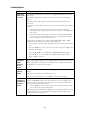
Acquire DS
Channel
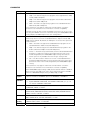
The DOCSIS downstream channel acquisition status:
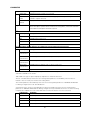
Obtain US
Parameters
Establish IP
Connectivity
Obtain
Configuration
File
•
YES — The downstream channel is acquired.
•
NO — The set-top is acquiring the downstream channel.
•
N/A — The value is invalid or cannot be retrieved, or DOCSIS is not
enabled.
The DOCSIS upstream channel descriptor (UCD) acquisition status:
•
YES — The UCD is acquired.
•
NO — The set-top is acquiring the UCD or the downstream channel.
•
N/A — The value is invalid or cannot be retrieved, or DOCSIS is not
enabled.
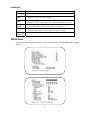
Displays whether the cable modem has acquired its IP address, typically
from a Dynamic Host Configuration Protocol (DHCP) server:
•
YES — The IP address is acquired.
•
NO — The set-top is acquiring its IP address.
•
N/A — The value is invalid or cannot be retrieved, or DOCSIS is not
enabled.
Displays whether the cable modem has downloaded its DOCSIS cable
modem configuration file from the TFTP server:
•
YES — The cable modem configuration file has been successfully
downloaded.
•
NO — The set-top is downloading its cable modem configuration file.
•
N/A — The value is invalid or cannot be retrieved, or DOCSIS is not
enabled.
58