1
10.
10.1
10.2
11.
11.1
11.2
12.
12.1
12.2
12.3
12.4
12.5
12.6
13.
13.1
13.2
13.3
14.
14.1
14.2
14.3
15.
15.1
15.2
15.3
15.4
16.
16.1
16.2
16.3
17.
17.1
17.2
17.3
17.4
17.5
17.6
Set up the bell ringing.............................................................................................66
Understand the screen for setting up the bell ringing ........................................................ 67
Select the bell ringing of the Time Box Biometric terminal ................................................ 68
Setting up the bell ringing calendar ........................................................................69
Understanding the screen for setting up the calendar ...................................................... 70
Setting up a lockout window .............................................................................................. 71
Global configuration ...............................................................................................72
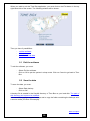
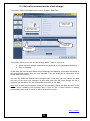
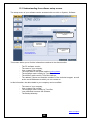
Understanding the software setup screen ......................................................................... 73
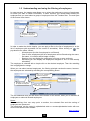
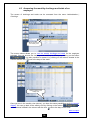
Understanding and setting up the results locking date...................................................... 74
Understanding the concept of maximum range of the day ................................................ 75
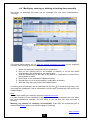
Defining the roundings on clockings .................................................................................. 77
Defining the overtime and special hours ........................................................................... 78
Create one or more sections ............................................................................................. 79
Setting the time ......................................................................................................80
Set up the summer/winter clock change ........................................................................... 81
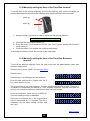
Manually setting the time of the Time Box terminal........................................................... 82
Manually setting the time of the Time Box Biometric terminal .......................................... 82
Set up the hardware ...............................................................................................83
Understanding the screen for setting up the terminal........................................................ 84
Setting up the connection of the terminal .......................................................................... 85
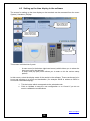
Setting up the display of the terminal ................................................................................ 86
Software configuration............................................................................................87
Understanding the software setup screen ......................................................................... 88
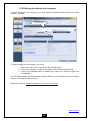
Entering the data of your company.................................................................................... 89
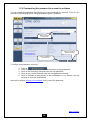
Customising the password to access the software ........................................................... 90
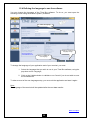
Defining the language to use the software ........................................................................ 91
Maintenance ..........................................................................................................92
Initializing the USB key ...................................................................................................... 93
Restoring a backup ............................................................................................................ 94
Deleting clockings .............................................................................................................. 95
Biometrics ..............................................................................................................96
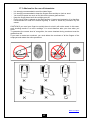
Advices for the use of biometrics....................................................................................... 97
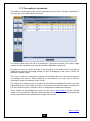
The quality of enrolments .................................................................................................. 98
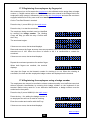
Registering the employees by fingerprint .......................................................................... 99
Registering the employees using a badge number ........................................................... 99
Clocking of employees using a badge (if badge reader option) ...................................... 100
Deleting fingerprints or a badge code from the terminal ................................................. 100
THEMATIC INDEX .............................................................................................................101
GLOSSARY .......................................................................................................................102
3