1
TABLE OF CONTENTS
TABLE OF CONTENTS ........................................................................................................ 2
IMPORTANT NOTICE........................................................................................................... 4
GENERAL............................................................................................................................. 5
1. Time Box Application .................................................................................................. 5
1.1
1.2
2.
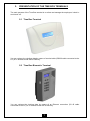
Presentation of the Time Box terminals ...................................................................... 7
2.1
2.2
3.
Philosophy of the System .................................................................................................... 5
About ................................................................................................................................... 5
Time Box Terminal............................................................................................................... 7
Time Box Biometric Terminal .............................................................................................. 7
Overall operation .......................................................................................................11
DESCRIPTION OF THE SCREENS .....................................................................................12
1. Access to the software ...............................................................................................12
1.1
1.2
1.3
1.4
1.5
2.
Closing the software ..................................................................................................19
2.1
2.2
2.3
3.
6.5
Understanding the screen for selecting the reports........................................................... 45
Setting up a report for one or more employees ................................................................. 46
Understanding the viewing screen of a report ................................................................... 51
Generate a report .............................................................................................................. 52
Creating and setting up employees ............................................................................54
8.1
8.2
8.3
9.
Understanding the screen of the global administration of clockings and totals ................ 38
Accessing clockings and totals of several employees....................................................... 40
Modifying or deleting manually the clocking times of one or more employees ................. 41
Modifying the totals by Add/Deduct and inserting a comment for one or more employees
.......................................................................................................................................... 42
Generating the reports related to attendance and totals ................................................... 43
Reports ......................................................................................................................44
7.1
7.2
7.3
7.4
8.
Understanding the screen of clockings and totals ............................................................. 27
Accessing the clockings and totals of an employee .......................................................... 29
Accessing the monthly clockings and totals of an employee ............................................ 30
Modifying, entering or deleting a clocking time manually .................................................. 31
Setting up the time display in the software ........................................................................ 32
Modifying totals by Add/Deduct and Adding comments .................................................... 33
Generating the reports related to attendance and totals ................................................... 34
Clocking results .........................................................................................................35
Global administration of clockings and totals .............................................................37
6.1
6.2
6.3
6.4
7.
Understand the screen of anomalies ................................................................................. 23
Access clocking anomalies and correct them ................................................................... 24
Generating a report of anomalies ...................................................................................... 25
Clockings and totals ...................................................................................................26
4.1
4.2
4.3
4.4
4.5
4.6
4.7
5.
6.
Exit the software ................................................................................................................ 20
Save the data..................................................................................................................... 20
Transfer data from the terminal ......................................................................................... 21
Clocking anomaly ......................................................................................................22
3.1
3.2
3.3
4.
Accessing the software ...................................................................................................... 13
Customising the password to access the software ........................................................... 14
Accessing the aid manual .................................................................................................. 15
Understanding the various entry points ............................................................................. 16
Understanding and using the filtering of employees ......................................................... 18
Understanding the screen of managing employees' file.................................................... 55
Creating a new employee’s file.......................................................................................... 56
Modifying/deleting the parameters of an employee already created ................................. 57
Create and manage schedules ..................................................................................58
9.1
9.2
9.3
9.4
9.5
Understanding the screen for setting up the schedules .................................................... 59
Understanding the operation of the various windows........................................................ 60
Creating, duplicating, modifying or deleting a daily schedule ........................................... 62
Using the creation wizard of a daily schedule ................................................................... 64
Create, modify or delete a weekly schedule ...................................................................... 65
2