1
3.11 Customize the Remote Control Source Button
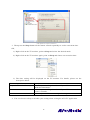
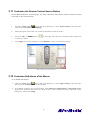
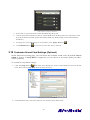
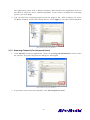
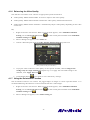
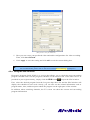
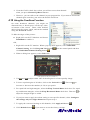
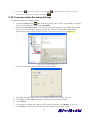
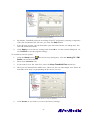
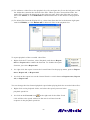
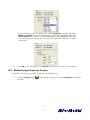
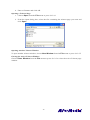
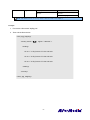
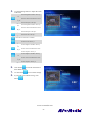
On the Remote Source Control page, you may customize the remote control “Source” button
to switch on the selected item.
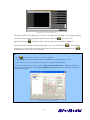
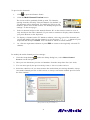
1.
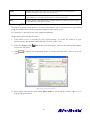
Click the Setup button
and in the Setup dialog box, select Input Setting in the left pane.
Then click on the Remote Remapping.
2.
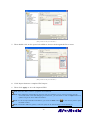
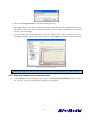
Select the signal source that you want from the Remote Control Source.
3.
Click the UP or DOWN button
location you desire.
4.
Click Apply to save the settings. Or click Default to revert to the factory setting.
at the right side until the selected signal reaches the
(This picture is only for reference.)
3.12 Customize Definitions of the Mouse
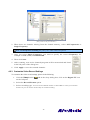
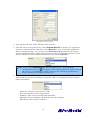
To re-define the mouse:
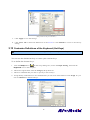
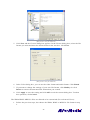
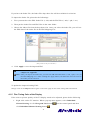
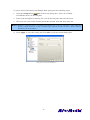
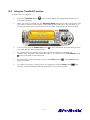
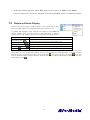
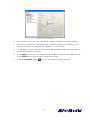
1. Click the Setup button
and in the Setup dialog box, select Input Setting in the left pane.
Then click on the Mouse icon on the left pane.
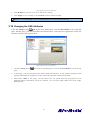
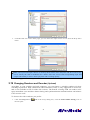
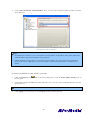
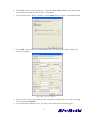
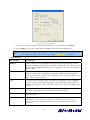
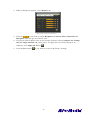
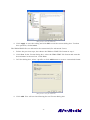
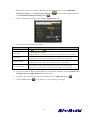
2. To re-define a function for a certain button, select Wheel Up, Wheel Down or One-Click and the
desired item from the drop down list. Then choose a new command from the right pane of the
dialog box. Then click Assign.
15