1
IDS-706/710/720/806/810/820 Operation Manual
z
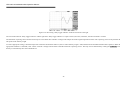
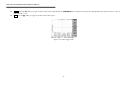
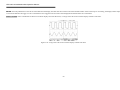
Position: Adjust the FFT position on the display area by rotating the VARIABLE knob. The “
0 dB approximately, where 0dB is defined as 1Vrms.
z
Unit/div 20/10/5/2/1 dB: Press F5 softkey to expand the FFT spectrum vertically. Expansion factors are 20dB/Div, 10dB/Div, 5dB/Div, 2dB/Div and 1dB/Div.
” math position indicator which located on the left side of LCD screen always points to
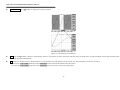
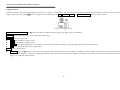
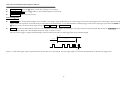
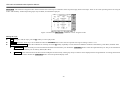
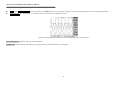
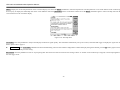
FFT spectrum measurement using cursors: FFT spectrum’s magnitude (dB) and frequency (Hz) can be measured by using the cursors. Press the CURSOR pushbutton and select Source
MATH by pressing the F1 softkey.
z
Source MATH: Selects FFT spectrum cursor measurement function.
z
Horizontal
/
/
/
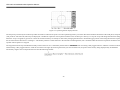
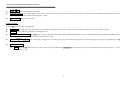
: Adjust vertical cursors by rotating the VARIABLE knob. The reference values are also shown on the LCD screen:
f1: first cursor frequency indication.
f2: second cursor frequency indication.
△ : The difference value of f1 and f2.
Div: frequency per division at present.
For more detail operations, please refer to page 53.
z
Vertical
/
/
/
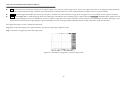
: Adjust horizontal cursors by rotating the VARIABLE knob. The reference values are also shown on the LCD screen: The
colour of two horizontal cursors will be changed to red for the colour oscilloscope.
M1: magnitude indication of first cursor.
M2: magnitude indication of second cursor.
△ : The difference value of M1 and M2.
For more detail operations, please refer to page 53.
20