1
DISPLAY INFORMATION
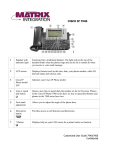
Here is the information of the specified icons shown in the LCD:
Message waiting icon
This unit provides a message waiting facility if the user is subscribed to the service through the
local telephone authority. When a message-waiting signal is received, it will be
displayed in the LCD and flash. It will remain in the LCD until a message waiting
OFF signal has been received from the telecom authority.
Speakerphone mode (indicate that the unit is engaged the line using speaker phone)
Repeat call (indicate that the same calls received more than one time)
New call (indicate that there is new caller ID is received)
RINGER MELODY (indicate the current ringer melody setting)
RINGER VOLUME (indicate the current ringer volume setting)
In idle mode, the LCD shows the real time clock. When the user has received a new incoming message which
has no record in the unit, the NEW icon will be blinking & the number of new call will be displayed.
SETUP
MENU SETTING
During idle state, press the MENU button to enter the MENU setting.
There are 6 items:
1. STORE (phone book storing)
2. RING MELODY (melody selection)
3. RING VOLUME (volume control)
4. LCD CONTRAST
5. CLOCK/DATE (date & time setting)
6. LANGUAGE (language selection)
Press “Up ” or “ Down” button to adjust the above items & press “OK” button to confirm the selected item.
Details of each item are shown in next sections.
Note: During setting, if Headset or speaker key is pressed, or the phone is left idle for 30 sec. The new settings
will not be saved and the phone resumed to normal idle state.
Menu function 1: Phone book storing
Select STORE by following the steps in MENU setting,
[1] The display show: NAME, enter the name using the alphanumeric keys. If you press the wrong key, use “
button to correct. Press “ OK” key to confirmed the name.
”
” button to correct error entry. Then press “OK”
[2] Enter the phone number to be stored. Again, you can use the “
key to save the record.
Remarks: The phone has 100 Memories. Each memory can store 14 characters & 24 digits.
Menu function 2: Ringing melody selection
Select RING MELODY by following the steps in MENU setting,
[1] There are 3 ringer melodies pre-stored in your phone. Press “Up ” or “Down” button to test play each melody
[2] After you hear the desired melody, press “OK” button to confirm your selection.
Menu function 3: Ringer volume control
Select RING VOLUME by following the steps in MENU setting, Press “Up” or “Down” button to choose your
desired melody After entering this mode by the above steps in MENU setting,
[1] There are 3 ring volume level (high, medium and low) available to your phone.
ach level is designated by icons ,
and
respectively.
[2] Press “Up” or “Down” button to choose desired Ring Volume.
[3]Press “OK” button to save your selection.