1
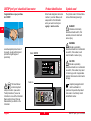
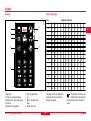
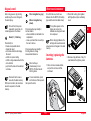
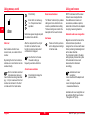
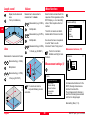
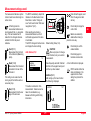
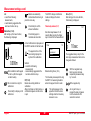
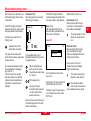
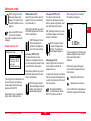
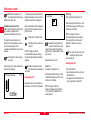
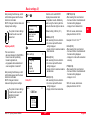
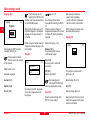
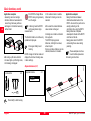
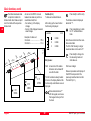
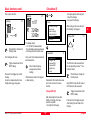
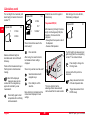
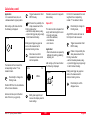
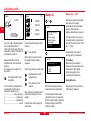
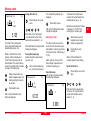
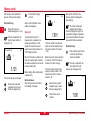
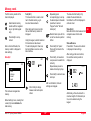
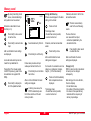
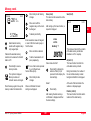
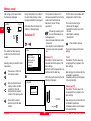
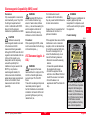
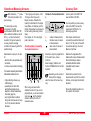
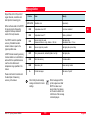
Memory, contd. After saving a short confirmation appears, then the basic settings. Recall with 0 key en Press until there is an audible beep (approx. 1 sec). If the key if pressed for too long the stack contents is displayed (6.3). recall key 1-9 6.2 1 5.125 The first memory key is displayed. Select memory key with navigation keys or select directly via keypad entry Press briefly to display contents. stack 6.3 1 After a short confirmation, basic settings are displayed. Stack (6.3) 7.891 The stack saves the last 15 measurements, computations or entries automatically to a shift register. This means the saved values have no fixed allocation but "shift" through the stack. The arrow stands for recalling the stack; the number beside it shows the memory location in the stack (1-15). Below the current memory contents is shown or "0.000" if the memory location in the stack is empty. When all 15 memory locations in the stack are occupied, each new entry will delete /overwrite the most recent memory location used. The most recent (current) entry is always in memory location 1, the second to last entry in memory location 2, etc. Default setting: after reset the stack is deleted (3.4) Recall with menu After calling up the menu function, the following is displayed: Select memory key with navigation keys or select directly via keypad entry. Press briefly to recall contents. English 46 After a short confirmation the memory contents is displayed in basic settings. The results of individual measurements for basic functions (Pythagoras, heights) or computations (triangles, trapeziums, etc.) can be recalled from the stack and used for further calculations. Recall with 0 key Press and hold key for about 2 seconds until two beep sounds are audiable. If the key is pressed for too short a period then the memory key is displayed (6.2). stack 6.3 1 7.891 DISTO pro4 / pro4 a-1.0.0en