1
ADNP/1520 Starter Kit – Introduction
Content
1
INTRODUCTION ......................................................................................................................4
1.1
1.2
1.3
Conventions used in this Document......................................................................................4
Checklist ..............................................................................................................................4
Features................................................................................................................................5
2
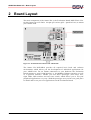
BOARD LAYOUT......................................................................................................................6
3
BOARD COMPONENTS...........................................................................................................7
3.1
3.2
3.3
3.4
3.5
3.6
3.7
3.8
3.9
3.10
3.11
3.12
4
3.12.1
Using COM3 in RS232 Mode ................................................................................................... 10
3.12.2
Using COM3 in RS485 Mode ................................................................................................... 10
CONNECTIONS ...................................................................................................................... 11
4.1
4.2
4.3
4.4
4.5
5
Power Connector ..................................................................................................................7
Power LED...........................................................................................................................7
Output LEDs ........................................................................................................................8
DIP Switches........................................................................................................................8
Reset Button.........................................................................................................................8
Prototype Area .....................................................................................................................8
RCM Jumper........................................................................................................................8
10/100Mbps Ethernet Interface.............................................................................................8
Serial Interface COM1..........................................................................................................9
Serial Interface COM2..........................................................................................................9
Serial Interface COM3..........................................................................................................9
COM3 RS232/485 Mode Switch ........................................................................................ 10
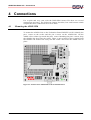
Mounting the ADNP/1520.................................................................................................. 11
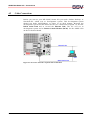
Cable Connections.............................................................................................................. 12
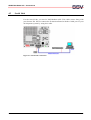
Serial Link.......................................................................................................................... 13
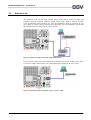
Ethernet Link...................................................................................................................... 14
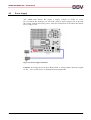
Power Supply ..................................................................................................................... 15
FIRST STEPS........................................................................................................................... 16
5.1
Using a Windows–based development System ................................................................... 16
5.1.1
Setup the Serial Link................................................................................................................. 16
5.1.2
5.1.3
Checking the Ethernet Link....................................................................................................... 20
Web Server Access ................................................................................................................... 21
5.1.4
Installing Linux ........................................................................................................................ 22
5.1.5
Running Linux.......................................................................................................................... 24
SSV EMBEDDED SYSTEMS
2
























![hank yo_fo buyil_gaSamsung (}a_Te_a ]hs](http://vs1.manualzilla.com/store/data/005691502_1-2e8e29ffb67d0c8f7d0d701e3cb644b7-150x150.png)