1
Chapter 5: Configuration
Keyboard Properties
key presses that occur when the [FN/BLUE] modifier is on; the Orange table defines key
presses that occur when the [FN/ORANGE] modifier is on. The default mappings of these
scancodes can be overwritten for each of these three tables using the Scancode Remapping
tab accessed from the Keyboard Properties dialog box.
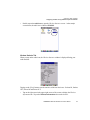
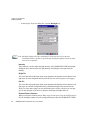
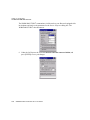
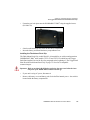
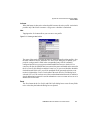
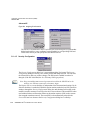
The first column in the Scancode Remapping tab displays the scancodes in hexadecimal. If
the scancode is remapped to a virtual key, that virtual key is displayed in the next column labelled ‘V-Key’. A virtual key that is ‘Shifted’ or ‘Unshifted’ is displayed in the third column
labelled ‘Function’.
If the scancode is remapped to a function or a macro, the first and second columns remain
blank while the third column contains the function name or macro key number (for example,
Macro 2).
Adding a Remap
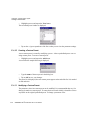
To add a new remapping:
•
Choose the Add button at the bottom of the dialog box.
WORKABOUT PRO3 with Windows CE 5.0 User Manual
105