1
user administration via mobile phone or PC software or Internet
it is possible to add any relay to any phone number, so that for example the first phone number can control relay1 only, the second
phone number can control relay1 and relay2 and the third phone number can control relay2 only.
Device installing
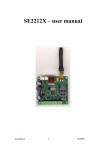
Put your SIM card inside SIM card holder (see picture below). SIM card must have no PIN, no SMS and no phone numbers. Even voice
box must be disarm.
Power supply connecting
There are three possibilities to connect power supply:
1.
2.
3.
Power supply
230V . Just connect power supply to 230V connectors.
Power supply DC 10 –
18V=. Put DC power supply to the connectors 12V at the right side of PCB under GSM antenna.
No need to control polarity. It is automatically protected against reversing of polarity.
Power supply AC 8 –12V
Put this power supply into the
same connectors (12V).
Device description
Instalation
Put SIM card into SIM card holder. Connect power supply. LED 1 blinks once and then GSM network LED start to blink. GSM network
LED blinks quickly at the beginning, it means, that B214 is looking for GSM network. As soon as GSM network is found, this LED will
blink with interval 2 -3 seconds.
www.selax.cz
1. The easiest way worlwide setting
3
B214