1
You can look at videomanuals as well:
B214ENG PC setting: www.youtube.com/watch?v=J7_0eRk88Bw
B214NG - Internet setting: www.youtube.com/watch?v=GrAO37vDtLQ
GSM remote control B214 The simplest way to setup: www.youtube.com/watch?v=V2ILvHsqYkc
Safety:
Please, keep safety precautions as follows:
· Do not use our device nearby the medical aparatures.
· Do not use our device nearby explosive atmosphere.
· Do not put to high moisture, chemicals and so on.
· Do not try to repair it yourself.
· It is banned to put SIM card into holder under power supply.
· Do not try to run our device without GSM antenna.
Product description
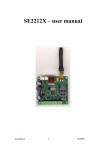
The GSM remote control B214 a wireless gsm remote control switch that connects to the GSM cell phone network.
It has four independent relay switches, and two relay 230V/10A. Relay switch is activated by calling by cell phone number, it will reject
the call without answering and switch on the device connected,then there are no call costs incurred when dialling the unit, it will
recognize an authorized telephone number and reject the call without answering. Relays can be switched by SMS as well.
More details
USB connector included
Installed inside box with covering IP65
power supply 230V or 12V (DC or AC)
2 pcs relays 230V/10A
electronic protection against reversing of polarity
easy installing
USB connector included.
Internet setting via GPRS – you can set or watch all parameters from anywhere
Possibility to upgrade new firmware
Technical parameters:
Power supply: 230V
Power supply 2: 10 -18V DC or 8 - 12V AC (automatical reversing of polarity protection)
Phone numbers: 1 000
Relay number : 2 (230V/10A with change-over contacts NO and NC)
Setting relay time switching: 0 - 32768 seconds (if 0, than first ringing will switch relay ON and second one will switch relay OFF)
GSM frequency: 850/900/1800/1900MHz
Working temperature: -20 C ….. +50 C
How can you setup all parameters?
You can choose from three possibilities.
1. You can use the easiest way worlwide.
Just push switch 1 on the DIP switch to ON, call in the SIM card inside GSM remote control and your phone number will be
saved automatically. Then push switch 2 to ON position (relay1) or push switch 3 to ON position (relay2) or you can have switch 1 and
switch 2 in ON position. If you remove switch 2 to ON position, it means, when you will ring to GSM remote control SIM card, it will
automatically hang up and switch relay 1.If you remove switch 3 to ON position, it means, when you will ring to GSM remote control SIM
card, it will automatically hang up and switch relay 2.If you remove switch 2 and 3 to ON position, it means, when you will ring to GSM
remote control SIM card, it will automatically hang up and switch relay 1 and relay 2. If you remove switch 4 to ON position, it means,
that when anybody calls in the GSM remote control you will get SMS as follows:
Example
Device name: switche-over from number +420 777753500 date:8.5.2014 14:05:47
Simply NO SMS and NO PC software. All setting takes a few seconds
2.
3.
4.
Setting by SMS commands.
Setting phone number using SMS command
Deleting phone number using SMS command
Switch ON/OFF any relay
Setting by PC software
Setting by Internet
www.selax.cz
More advantages:
2
B214