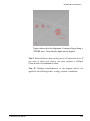
1
The Pull-Down Menus
Snaps toolbar
.
Displays/hides the Snaps toolbar when it is floating. The Snaps
toolbar contains all the snap options available.
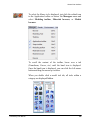
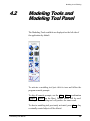
Modeling toolbar
.
Displays/hides the Modeling toolbar when it is floating. The
Modeling toolbar lets you scroll modeling tools sorted in
categories whose names appear on blue tabs.
Materials browser
.
Displays/hides the Materials browser. The Materials browser
lets you assign materials to objects, search materials sorted, or
“tagged”, in categories. You can also create new category tags,
assign a new tag to an existing material, browse for existing
material libraries or create a new library, and delete materials
from a library.
Models browser
.
Displays/hides the Models browser. The Models browser
allows you to store 3D models.
Devices
Opens a submenu that lists supported external devices. To start
up a device, just choose it. To stop it, choose it again.
solidThinking User Manual
55