1
MENU AND CONTROL FUNCTIONS
General
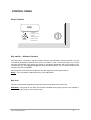
The control panel incorporates facilities to alter the status of the system, e.g:- it is possible to isolate
parts of the system if there is work in progress, or a particular device is faulty and causing unwanted
alarms. The system can be put into test mode to allow an engineer to activate devices without
causing a general alarm, and the time and date can be changed, e.g. for British Summer Time.
These functions are accessible to the user at access level 2 but care should be exercised when
utilising the functions as it is possible to disable some or all of the system. It is recommended that
before attempting to enter the options menu the features are fully understood, and the operator is
familiar with the controls used to navigate the menus and select options.
Function buttons
Four of the keypad buttons are used as function buttons when the options menu is invoked.
Most of the panel functions, including configuration, are controlled by these buttons which have the
following functions:[MENU]
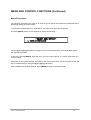
The Menu button is used to initially invoke the options menu. Press once to enter the Menu , and
press again to Exit.
[2] and [8]
The 2 and 8 buttons are used to move to and then select the Menu options. Once an option has been
selected, the Menu button should be pushed again to exit.
[5]
The 5 button on the keypad is pressed when the option selected needs to be viewed, or to view the
text or an active event.
[4] and [6]
The 4 and 6 buttons are used to position the cursor along a full display line in order to adjust various
options available.
Vector Operating Manual.
13