1
Appendix H: Target Settings Dialogs in Detail
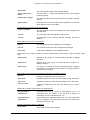
called by reference (pointer); therefore no constants can be
assigned and no read/write access is possible from outside the
function block.
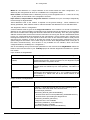
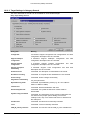
Initialize Inputs
if not activated: For optimizing reasons no init code will be
generated for the inputs declared with "AT %IX" (-> undefined
values until the 1. bus cycle !)
Automatic boot project load
if activated: A boot project is created automatically after
download of a new program and sent to the PLC.
Softmotion
if activated: The SoftMotion functionality is activated, i.e.
available in the Resources tab (CNC program list, CAMs)
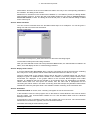
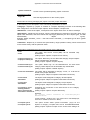
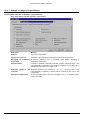
10.21.3 Target Settings in Category Networkfunctionality
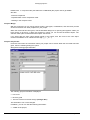
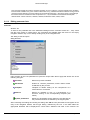
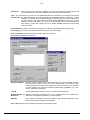
The items described for this tab can be available for each standard target.
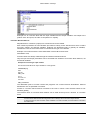
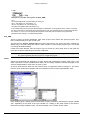
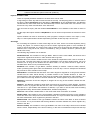
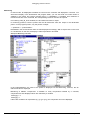
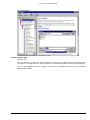
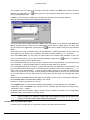
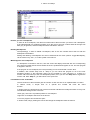
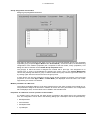
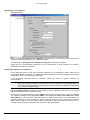
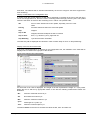
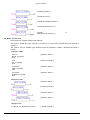
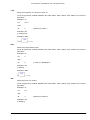
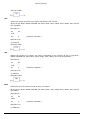
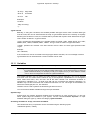
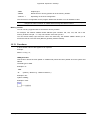
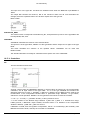
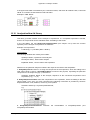
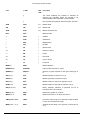
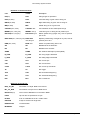
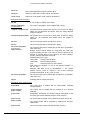
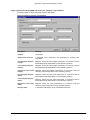
Dialog Target Settings, Networkfunctionality
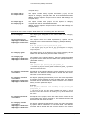
Dialog item
Meaning
Support parameter manager
If activated: the entry 'Parameter-Manager' appears in the
Resources tab. Use it to create an Object Dictionary for variables and
parameters, which enable the targeted, active data exchange with
other controllers
Support network variables
If this option is selected network variables can be used, which
enable automatic data exchange in the network
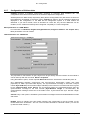
Names of supported
networkinterfaces
List of the supported network systems, e.g.: CAN; UDP; DP
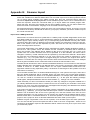
Index ranges for parameter
SDOs
Index Range for Parameter
Resources, 'OD Editor')
Object
Dictionaries
(see
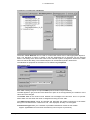
Index-ranges for variable
SDOs
Index Range for Variables
Resources, 'OD Editor')
Object
Dictionaries
(see
Subindex range
Subindex Range within the above mentioned index ranges for
parameter and variable Object Dictionaries (see Resources,
'OD Editor')
CoDeSys V2.3
10-91