1
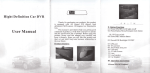
04: DowrVScreen switch
the Menu sltings, press UPrDown to choose setting your DVR
05: Record./OK
accordingll'. press REC to enter in to, press Menu to exit the
06: Mode button
settings.
07: TF card slot
@Back light ON/OFF: Keep pressing 3 seconds to turn off
08: Reset
the backlight. then press any buttons to tum on the backlight.
09: DC in
@Emergent lock function: When the Car charger had been
l0: Back lens
plugged into the car. the D\rR
will
start recording automatically,
slightly press this bunon, the video which is being record will be
III. Operation Instructions
saved in Lock file and not be deleted by cycle recording.
LPower ON/OFF button:
@Power on/off the DVR: Keep pressing 3 seconds to pos'er
or/off the DVR, it will enter into the recording
automatically. Meanwhile the D\rR
capacity card
will
will
mode
read the TF card" the big
takes more time to get read. Keep pressing
again the Power ON/OFF button, the recording
will be stopped
and the video files get saved.
3. UP/Mode/Replay mode:
@Page Up function: when in the mode of Menu or Replay,
press this button to scan up sub- menu or video files accordingly.
@Mode: press this button to switch modes to Mdeo mode or
Photo mode.
@Keep pressing
@Power ON/OFF back light: After the DVR powered on,
3
seconds
to enter into replay mode:
When in standby mode, keep pressing this button for 3 seconds
slightly press the Power ON/OFF button to choose: LED light
to enter into the replay mode, press UP/Down to
on/o{?auto; in the mode of LED light auto, the LED
scan up/down
li-dt
is
the saved files, keep pressing UP/Mode button to exit the replay
controlled by photoconductive resistance or the brightness
of
mode.
light sensed by the camera lens.
4. Down/Screen switch:
2. Menu:
@Menu: If{bgt*gd$lry,$i1,$less this buttonto enrer into