1
il
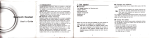
2.2 Charging the battery.
Step I . Push
ffilh
the battery cover switch to the lock position( \3l/
As shown in figure
1,
The DV uses removable rechargeable lithium battery. When the DV is off, connect it to the PC
via USB cable to charge the battery. During charging the ststus indicator (blue) win fight
on,and the indicator offwhen charging completes.
Note: When the DV is on, connecting it to the PC will not charge.
Tirrn on/off
and remove the battery cover.
1.
St€p 2. Put the lithium battery into the battery slot. Make sure the electrodes of the battery are
corresponding to the symbols of the DV shell(
(fl)
\-Jtl
1. Tum on: press and trotO
). As shown in figure 2 and figure 3.
Step 3. Install the battery cover back in place, and lock the switch to the lock
fix
the battery. As shown in figure 4.
positi"r,ffilDr"
can be heard from buzzer
,l;
ry
:a'.
*r"@Uutton
for about 3 seconds, LCD displays."ON" and a beep