1
7.2
I would like to switch image sources ................................................ 23
7.3
I would like to make text clearer and photos more colorful .............. 23
7.4
I would like to zoom in/out images ................................................... 24
7.5
I would like to use the auto focus ..................................................... 24
7.6
I would like to adjust the focal length................................................ 24
7.7
I would like to adjust the brightness ................................................. 24
7.8
I would like to turn on/off the lamp.................................................... 25
7.9
I would like to freeze images ............................................................ 25
7.10 I would like to capture images .......................................................... 25
7.11 I would like to record videos ............................................................. 26
7.12 I would like to view captured/recorded images ................................ 27
7.13 I would like to delete the captured/recorded images ........................ 27
7.14 I would like to automatically delete the stored images whenever it is
turned off (Auto Erase) ..................................................................... 27
7.15 I would like to enlarge a part of the image (PAN) ............................. 28
7.16 I would like to use the MASK and Spotlight function ........................ 28
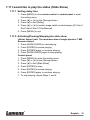
7.17 I would like to play the slides (Slide Show) ...................................... 29
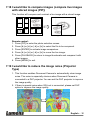
7.18 I would like to compare images (compare live images with stored
images (PIP)) .................................................................................... 30
7.19 I would like to reduce the image noise (Projector Type) .................. 30
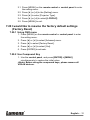
7.20 I would like to resume the factory default settings (Factory Reset) . 31
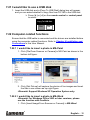
7.21 I would like to use a USB disk .......................................................... 32
7.22 Computer-related functions .............................................................. 32
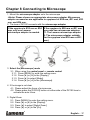
Chapter 8 Connecting to Microscope ........................................................... 37
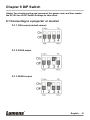
Chapter 9 DIP Switch ...................................................................................... 38
9.1
Connecting to a projector or monitor ................................................ 38
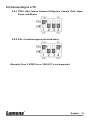
9.2
Connecting to a TV ........................................................................... 39
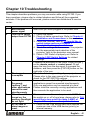
Chapter 10 Troubleshooting........................................................................... 40
English - 5