1
Chapter 15 Configuring Virtual Machine Hardware Settings
In the default configuration, systems on the external network cannot initiate connections to the virtual
machine. For example, the default configuration does not let you use the virtual machine as a Web server to
send Web pages to systems on the external network. This limitation protects the guest operating system
from being compromised before you can install security software.
By default, NAT is used when you use the New Virtual Machine wizard to create a virtual machine.
The virtual machine uses NAT to connect to the Internet or other TCP/IP network by using the networking
connection on the host system. NAT works with Ethernet, DSL, and phone modems. A separate private
network is set up on the host system. The virtual machine obtains an address on that network from the
VMware virtual DHCP server.
Configuring Host-Only Networking
When you configure host-only networking, Workstation Player creates a virtual private network (VPN)
connection between the virtual machine and the host system.
A VPN is typically not visible outside the host system. Multiple virtual machines configured with host-only
networking on the same host system are on the same network. The VMware DHCP server provides
addresses on the network.
If you install the proper routing or proxy software on the host system, you can establish a connection
between the host virtual network adapter and a physical network adapter on the host system. With this
configuration, you can connect the virtual machine to a Token Ring or other non-Ethernet network.
On Windows host systems, you can use host-only networking in combination with the Internet connection
sharing feature in Windows. With this combination, the virtual machine can use the dial-up networking
adapter on the host system or another connection to the Internet. See the Windows documentation for more
information on Internet connection sharing.
Configuring LAN Segments
When you select a LAN segment, the virtual machine uses a private network that can be shared with other
virtual machines. LAN segments are useful for multitier testing, network performance analysis, and
situations where virtual machine isolation are important.
If you add an existing virtual machine to a LAN segment, the virtual machine might be configured to expect
an IP address from a DHCP server. Unlike host-only and NAT networking, Workstation Player does not
provide a DHCP server for LAN segments. You must manually configure IP addressing for virtual
machines on a LAN segment. You can either configure a DHCP server on the LAN segment to allocate IP
addresses, or you can configure a fixed IP address for each virtual machine on the LAN segment.
You can click LAN Segments to create new LAN segments or delete and rename existing LAN segments.
Deleting a LAN segment disconnects all virtual network adapters that are configured for that LAN segment.
When you delete a LAN segment, you must manually configure its disconnected virtual network adapter to
reconnect the virtual machine to the network.
Configuring Virtual Network Adapter Advanced Settings
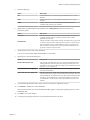
You can use the advanced virtual network adapter settings to limit the bandwidth and specify the
acceptable packet loss percentage for incoming and outgoing data transfers.
To configure advanced virtual network adapter settings for a selected virtual machine, select Player >
Manage > Virtual Machine Settings, click the Hardware tab, select the virtual network adapter, and click
Advanced.
VMware, Inc.
139