1
APS-3BatteryRemoval,ChargeandInstallation
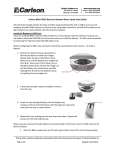
Completethefollowingstepsforremoval,chargeand
installationofAPS-3batteries.
Onefullychargedbatterycanbeusedupto5
hours.
Checkwhichbatteryis“inuse”beforeremoval.Seebattery
statusinSurvCEtoreplaceidlebattery.Instructionslocatedin
PowerorBatteryStatusIndicatorsectionofthismanuscript.
Pressreleasebuttontoopenbattery
compartmentdoor(FRONT)
CommunicatingwithAPS-3
ForWirelessBluetooth®communicationswiththeAPS3follow
thestepsbelowwithaController(Allegro,Archer,etc.).Refer
toAPS3UserManualforvariationsincontrollers.
YourController,withSurvCE,hasbeenpreconfigured
forwirelesscommunicationwiththeAPS-3
receiver(s).
1. TurnONtheAPS-3.TheREDLEDwillturnONandthe
GREENLEDGNSSSatellitestartstoblink.
2. TurnONtheControllerandRunSurvCEsoftware.
ToReplacebattery.Pullthebatteryoutor
pushtoreleasethebatterytoslideoutand
closethecompartmentdoor
Tochargebattery.PlugtheACwallbattery
chargerintothewallsocketandpowerLED
turnsON
PlaceAPS-3batteryinchargerfor2hours
oruntilLEDturnsGREENforfullcharge.RED
LEDindicatesbatterynotfullycharged.
ToloadbatteryinAPS-3.Slidethebatteries
intheslotandclosecompartmentdoor.
CheckbatterystatusinSurvCE.
Serialcablecommunicationtakesprecedenceover
Bluetooth®.RemovetheserialcablefromSER1port
forBluetoothtoresume.
RegisterSurvCEathttp://www.carlsonsw.com/
3. GototheEquiptabandselectGPSRover.
4. IntheCurrentTab,selectManufacturer:AltusandModel:
APS-3
5. IntheCommsTab,selecttheproperAPS-3unitfor
connection.APS-3_####,where####isproductserial
numberlocatedunderneaththereceiver.Clickon
Bluetooth®buttoninupperrighthandcornerofscreento
bondwithyourAPS-3.
6. IftheAPS3nameisnotlistedselectConfigure.
7. ThenselectFindReceiver,andaBluetooth®Devicesearch
occurs.HighlighttheAPS3namethenselectthe
Bluetooth®buttontobond.
5
6
SIMCard
FollowthestepsbelowtoverifythattheGSM/GPRSModem
workscorrectlywithyouractivatedSIMCard.
1. EstablishcommunicationwithAPS-3usingSurvCE
2. SelectEquiptabandthenGPSRover
3. GPSRoverwindowcomesupandselectRTKtab
x SelectDevice:InternalGSMandConfigurebuttonfor
InternalGSM.SelectaProviderandInputAPNServer
forconnection.
PowerorBatteryStatusIndicator
UseSurvCEtocheckAPS-3batterystatus.InEquipTab,select
GPSRoverorGPSBaseStationbutton.
x
x
x
x
x
ConfigureSIMcardforInternalGSMmodem
onlyonceperserviceprovider.
SelectproperNetworkconnectionandConfigure.
o TCP/IPDirect|UDP/IPDirect|NTRIP|
SpiderNet|DirectDial
SelectMessageType:
o CMR|CMR+|RTCMV2.3|RTCMV3.0
SelectBaseIDandcheckboxtoSendRoverPositionto
NetworkforVRSNetwork.
SelectCheckbuttononupperrighthandcorner
FlashingorangeRTKLEDindicatesAPS3isreceiving
corrections
Clickon
button
forAPS-3GNSS
Firmware&Battery
Statusdetails.
Batteryinformationis
notavailablewhen
usingexternalpower.
QuestionsorComments
PleasecontactALTUSPositioningSystems:
Email: support@altusps.com
Web: http://www.altusps.com/
Phone: 310.541.8139
WARNING:IncorrectProviderandAPNServerwill
resultinerror.
7
8