1
P07303 Series Customer Display User's Manual
1. Checklist
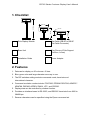
G
501 mm
225 mm
191 mm
281 mm
93 mm
Pole Display Module
Flat Cable (DB-9P to DB-9P
Flat Cable Connector)
Base Unit
Two Pieces of Pole Support
(1x22cm, 1x9cm)
Installation Guide
Power Adapter
2. Features
1. Data can be display on 20 columns x 2 lines.
2. Blue–green color and large character are easy to see.
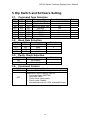
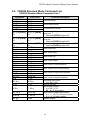
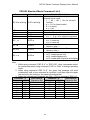
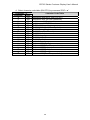
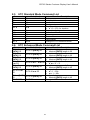
3. The DIP switches setting emulate commands mode, baud rate and
international character.
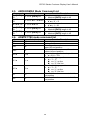
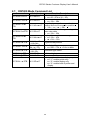
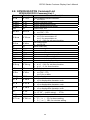
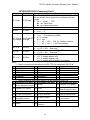
4. Command emulation modes include: POS7300, EPSON ESC/POS, ADM787/
ADM788, DSP800, AEDEX/ EMAX, UTC, and CD5220.
5. Display area can be controlled by window function.
6. Provides an interface based in RS-232C, and RS232C baud rate from 4800 to
38400 bps.
7. Reverse characters can be specified using the Epson command set.
7