1
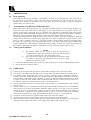
Table Of Contents
Section
Name
1
1.1
1.2
1.3
1.4
1.5
2
3
4
4.1
5
5.1
5.2
5.3
6
6.1
7
7.1
7.2
7.3
7.4
8
8.1
8.2
9
10
10.1
10.2
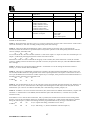
INTRODUCTION
A Word on Video Switchers and Matrices
Digital and Analog Video Signals
Several Points to Consider When Working with Digital Signals
SDI Standards
Factors Affecting Quality of Results
SPECIFICATIONS
HOW DO I GET STARTED?
UNPACKING AND CONTENTS
Optional Accessories
SDI SWITCHER AND MATRICES
Getting to Know Your SD-7308
Getting to Know Your SD-7388
Getting to Know Your SD-7316
INSTALLATION
Rack Mounting
CONNECTING TO DIGITAL VIDEO DEVICES
Turning On the Machines
Operation
RS-232 Communication Protocol for SD-7308
DIP Switch Settings for the SD-7308
OPERATION OF THE SD-7388 AND SD-7316
Menu Commands for the SD-7388 and SD-7316
Communication Protocol for the SD-7388/7316
TAKING CARE OF YOUR MACHINE
TROUBLESHOOTING
Power and Indicators
Video Signal
Limited Warranty
Page
2
2
2
3
4
4
5
6
6
6
7
7
8
9
10
10
10
10
10
11
11
12
12
14
21
21
21
21
22
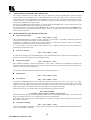
List Of Illustrations
Figure
1
2
3
4
5
6
Page
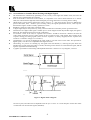
Digital “EYE” Diagram
The Digital “EYE” after accumulating Noise and Jitter
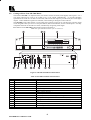
SD-7308 Front/Rear Panel Features
SD-7388 Front/Rear Panel Features
SD-7316 Front/Rear Panel Features
RS-232 Null Modem Connection
3
4
7
8
9
20
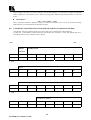
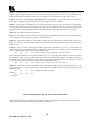
List Of Tables
Table
1
2
3
4
5
6
Page
SD-7308 Front/Rear Panel Features
SD-7388 Front/Rear Panel Features
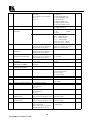
SD-7316 Front/Rear Panel Features
DIPSWITCH Settings for the SD-7308
Instruction Codes for Protocol 2000
Example- HEX table for 16x16 Video Matrix Switch
1
KRAMER ELECTRONICS LTD.
7
8
9
11
15
18